Claude Code for NES Development
Claude Code is converting all our jobs into a boring code review trudge. But we may as well have some fun with it too. Luis Montes has been doing some cool work in retrogaming using LLMs, and he mentioned he’d been able to generate some simple homebrew demos for 8 and 16-bit consoles using Claude.
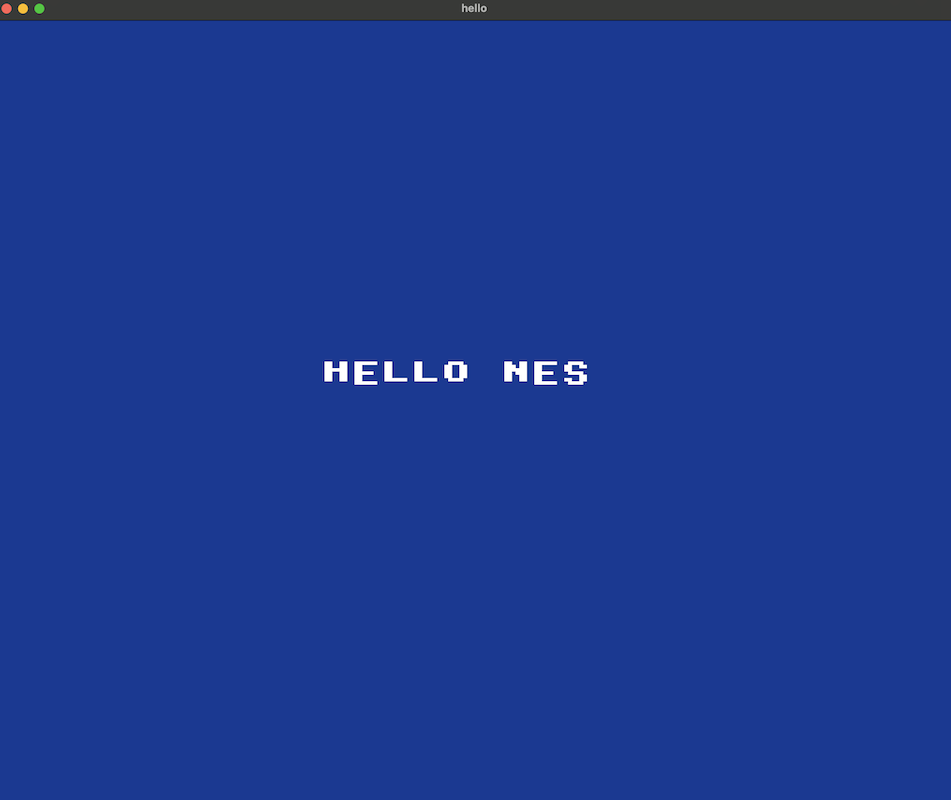
I’ve long wanted to try writing homebrew, but have never had the time. I don’t know assembly language, and the low-level style of programming required can be a pain. But it turns out LLMs have all but eliminated the barriers to entry. In this post I’ll walk through how I used Claude Code to generate my first Nintendo Entertainment System ROM!
Using Claude Code to Migrate to Chezmoi
Chezmoi is a tool for dotfile management. But this post is about the excellent AI coding assistant Claude Code, not Chezmoi. Migrating to Chezmoi just offers a relatively simple task that lets me show a Claude Code workflow in action.
This will be a heavily edited, possibly somewhat pseudo-coded log of my shell session with Claude Code.
Read more...Custom MacOS App Keyboard Shortcuts
MacOS allows you to set custom keyboard shortcuts that activate any item in the menus at the top of the screen. You can do the same in Windows, but only with third party software; MacOS has this ability out of the box. This post has suggestions for things to add (and a couple default items to disable).
Read more...Coping with MacOS Sequoia for Web Development
This is the latest in a series of posts on using MacOS for web development. This fork of the original post is targeted at Sequoia (15.5).
My Mac setup is heavily customized, and I have lots of muscle memory built up around it. I am absolutely crippled on a new machine until I’ve reproduced that setup. So this is a guide to myself to doing so more quickly. Maybe it will benefit you too!
Read more...Coping with MacOS Sonoma for Web Development
This is the latest in a series of posts on using MacOS for web development. This fork of the original post is targeted at Sonoma (14.4).
For pretty much every Mac I’ve ever owned, I’ve copied my configuration from machine to machine. But when one does so, a lot of unused cruft builds up over the years. So I’ve decided to wipe everything and start totally (well, okay, mostly) from scratch. This is a rare learning opportunity and so I’m documenting my setup here, for my reference and for yours.
Read more...The Legend of Zelda: Tears of the Kingdom - Game Design Notes
Time for another post in my game design analysis series! This time I’m looking at The Legend of Zelda: Tears of the Kingdom.
Much of what I record here will be obvious to anyone who’s recently played the game, or its predecessor Breath of the Wild. But I’m writing this for future readers as well, and hopefully it can provide some inspiration for busy designers who don’t have time to sit down and play the game themselves.
NOTE: Until such time as this note is removed, this post should be considered a work in progress. (I don’t feel like messing around with a “draft” status and hopefully I can get some preliminary feedback this way.)
SPOILER ALERT: I am going to be making no effort whatsoever to avoid spoilers in these notes, as that would hamper their usefulness. If you don’t want spoilers, play the game in its entirety before reading these notes!
Read more...Game Design Analysis - Citizen Sleeper
Time for another post in my game design analysis series! This time I’m looking at Citizen Sleeper, an indie work of interactive fiction released in 2022 to much critical acclaim and “overwhelmingly positive” Steam reviews.
An uncharitable review of Citizen Sleeper would call it a “choose your own adventure”-style game, where all your options are chosen from a menu, and the game reacts accordingly. And indeed, it seems like the actual coding implementation is probably about that simple. But the design surrounding that is extremely impressive.
I bet it was possible to prototype this game entirely on paper (regardless of whether they actually did so), thus front-loading much of the project risk. It could have been determined whether the game was fun to play (and therefore more likely to succeed) before hiring a single developer or even any writers. That seems like a model worth emulating.
Read more...Design Notes on Various Games
Hopefully you’ve seen my analysis of Subnautica: Below Zero. There are many other noteworthy puzzles, mechanics, and conventions in games, but most games don’t warrant a blog post unto themselves. This post is a catch-all for other patterns I want to record.
This will be a living document, so expect edits and additions over time. (Yeah, that’s not how blog posts are supposed to work. Send me some traffic and I’ll start following the rules.)
Read more...An Interview with Aureus, Roadwarden's Creator
Roadwarden is a “graphical text adventure” set in a dark fantasy world. I had the audacity to share my previous analysis post with Aureus, the game’s creator, and he offered to answer any questions I might have.
I don’t think he knew what he was signing up for! But he was incredibly generous with his time, and I asked if I could share his answers here on the blog so other aspiring creators can learn as well. So here’s an interview with Aureus, creator and developer of Roadwarden!
(Mild spoilers within!)
Read more...Game Design Analysis - Roadwarden
Hopefully you’ve seen my game design analysis of Subnautica: Below Zero. Here’s another, for Roadwarden. It’s an important game to me, as I hope to publish a text adventure myself at some point.
I wrote this while playing, and some of it reflects the mechanics I hoped the game had, rather than what it actually has. No disparagement is intended; this is a rock-solid game and its author’s choices were likely necessary and correct, grounded in reality rather than my fantasy of the perfect game.
[Edit: I shared this post with Aureus, the game’s creator, and he graciously answered a ton of my questions himself! Check out the interview in this follow-up post!]
Read more...